

Structure of the Problem Requirements
In this problem we will learn ow to use switch statement in Java program. The switch statement allow our program to test multiple values again one variable. The switch statement is used to avoid complex nested if else conditions. The structure of the switch statement is very simple we just pass a variable to the switch and test it in different cases. Each case end with break state and each new case start with new number. Here is the source code of this problem which help you in better understanding.
Source Code
import java.util.Scanner;
public class Switch_statment
{
public static void main(String[] args)
{
System.out.println("\t \t \t LEP Tutorials \n ");
Scanner input = new Scanner (System.in);
int choice;
System.out.println("Enter Number Between 1 to 5 ? ");
choice = input.nextInt();
switch (choice)
{
case 1 :
System.out.println("1. LEP C++ Tutorial");
break;
case 2 :
System.out.println("2. LEP CSS Tutorial");
break;
case 3 :
System.out.println("3. LEP Java Tutorial");
break;
case 4 :
System.out.println("4. LEP HTML Tutorial");
break;
case 5 :
System.out.println("5. LEP PHP Tutorial");
break;
default:
System.out.println("Very Soon LEP Upload your Desired Tutorials :)");
}
}
}
Output of the Program
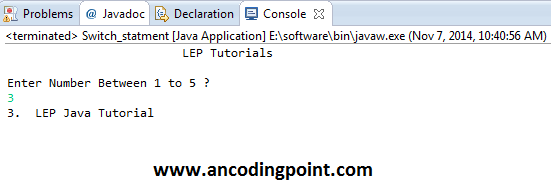 |
| Switch Statement in Java |
